
Evaluating the Need for a Modern Gate System
Automating Your Property’s Entrance
In my years working with residential security, the question is no longer whether automation makes life easier. It is whether your existing equipment can handle modern demands. Outdated motors still appear across many South African properties, struggling with heavy gates and load shedding. These systems fail at inconvenient moments, leaving you to open a mechanism by hand.
These are the factors that matter:
- Gate weight and structural soundness.
- Daily usage frequency.
- Battery backup performance.
- Compatibility with current security systems.
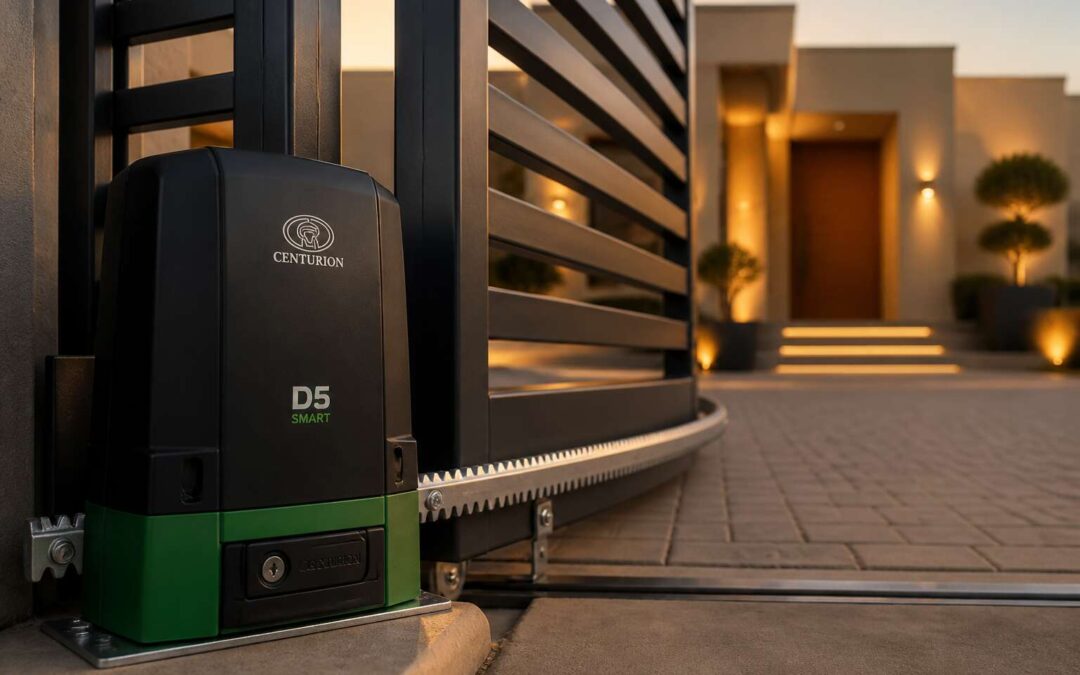
A gate motor centurion d5 smart changes that calculation. It provides dependable automation along with battery backup, which matters during Eskom’s unpredictable schedules. The unit’s suitability depends on gate weight, opening frequency, and integration with existing access control.
How Smart Motors Enhance Daily Convenience
Most homeowners do not realize how much time they lose wrestling with an unreliable gate. A gate motor centurion d5 smart removes that friction only when you choose the right unit for your circumstances. Evaluation starts with your patterns: gate weight, opening frequency, and backup requirements. These details determine whether a single unit or heavier duty option suits you.
Smart motors add convenience beyond remote operation. Diagnostic feedback tells you when maintenance is due or if the battery needs attention. That matters in South Africa.
- You can operate the gate from inside, regardless of weather.
- Battery backup keeps you moving during load shedding.
- Integration with your alarm system means one less device to monitor.
The gate becomes a background system that simply works. The question is not whether you can afford a gate motor centurion d5 smart. It is whether you can afford to keep struggling with an outdated model.
Security Advantages Over Traditional Gates
The quiet threat on most South African properties is not the criminal outside the fence. It is the assumption that a closed gate means a secured one. I have seen the aftermath of that assumption too many times. Traditional gates appear to protect, but they rely on human vigilance, which fades after the hundredth time you check whether you locked it.
A modern system changes that relationship. The gate motor centurion d5 smart provides confirmation, not guesswork. You receive alerts when the gate opens, fails to close, or faces a forced attempt. That data transforms a passive barrier into an active security layer.
The evaluation starts with honest questions.
- How often has your gate been left open unintentionally?
- Can you verify its status while away from home?
- Does your setup notify you of tampering?
If those answers trouble you, the gap between traditional and modern security is already visible.
Pre-Installation Considerations for Your Gate
Assessing Gate Type and Weight Requirements
Most installation problems start before the motor is attached. We always measure and weigh the gate first. The gate motor centurion d5 smart works with both sliding and swing gates, but only when the gate fits within its limits. A heavy gate strains the motor, while an oversized leaf stalls the drive completely.
Calculate the total mass, including lattice work and counterweights. For sliding gates, check that the track is level and the wheels rotate freely. For swing gates, make sure the hinges are firm and the leaves open without binding.
- Measure the gate travel distance
- Weigh each leaf on a calibrated scale
- Test manual operation from open to closed
Coastal salinity speeds up wear on gate hardware. Lubricating pivots and clearing rust keeps the mechanism moving smoothly year after year.
Electrical Supply and Backup Power Needs
The reliability of your property’s entrance depends as much on the electrical supply as it does on the mechanical components. A gate motor centurion d5 smart unit demands a consistent power source to operate its logic board and drive mechanism correctly. Fluctuating voltage levels, common in areas with grid instability, can shorten the lifespan of the control electronics and cause erratic behaviour.
Proper wiring gauge and dedicated circuit breakers are essential to protect the system from surges. We always verify the earth leakage system and ensure the power point is weatherproofed for outdoor installation. Ignoring these details leads to nuisance tripping during thunderstorms.
The backup power strategy requires equal attention. Load shedding remains a reality in South Africa, and a gate that refuses to open during an outage compromises your access. The standby battery should be sized to handle a specific number of cycles, not just a single operation.
– Verify the charger voltage matches the battery specification.
– Test the battery condition every three months.
– Ensure the enclosure allows for battery ventilation.
A fully charged battery ensures the gate motor centurion d5 smart completes a full cycle even when the mains supply is down.
Choosing the Correct Mounting Configuration
Before a single bolt is tightened, the mounting configuration of your gate motor centurion d5 smart must be scrutinised! The drive system relies on a rack bolted to the gate leaf, and that rack must sit dead level. A misaligned mount forces the gear to chew at an angle, and that grinding will eventually strip the rack clean.
The concrete plinth deserves equal attention. I have seen plinths crumble within a year when the installer skipped the rebar or used a weak mix. The motor is heavy, and every opening cycle transfers torque straight into that base. Anchor the unit with high tensile bolts and let the concrete cure fully before loading it.
Position the plinth so the motor body clears the gate frame at both extremes. A gate motor centurion d5 smart demands clearance on the drive side, especially when a boundary wall sits close. Measure the space while the gate is latched shut, not while it hangs loose in the middle of its travel.
Exploring the Smart Features of the D5 Model
Remote Control and Smartphone App Integration
The remote control that ships with the gate motor Centurion D5 smart is small but significant. It uses a rolling code, so the signal changes each time you press the button. That matters for anyone worried about signal capture from a parked car. Press, the gate responds, and the code moves forward.
The smartphone app pairs with the same gate motor Centurion D5 smart and applies that principle to your daily routine. I can open my gate from the kitchen while the kettle boils, or check whether the gate actually closed after I left. The app combines control and observation in one interface:
– Receive push notifications when the gate opens or closes
– Operate the gate from any location with data coverage
– Share access with a family member or gardener, then revoke it instantly
These functions shift how you interact with your property. The remote stays reliable, while the app adds visibility that a keyring button cannot offer.
Battery Backup and Solar Compatibility
When the grid fails, the motor continues operating through its internal battery backup. The battery engages automatically, providing enough stored energy for roughly 20 gate cycles. That covers typical evening arrivals and departures without manual intervention.
Solar compatibility adds a layer of independence. I have watched a 100W panel keep that battery adequately charged through several overcast days. The circuit regulates voltage, preventing overcharging and extending service life.
- Automatic switchover during load shedding
- Compatible with 12V solar panels
- Regulated trickle charging for battery health
This configuration appeals to South African homeowners contending with scheduled power interruptions. The gate motor centurion d5 smart turns an unpredictable grid into a manageable variable, keeping the gate responsive when it matters most.
Obstacle Detection and Safety Reversing
There is a particular silence before the gate motor centurion d5 smart decides to move. It is a moment of calculation, not hesitation. The sensors read the threshold, scanning for anything that might be in the path. This is the quiet intelligence that separates a mere machine from a reliable sentinel. When a child’s bicycle is left leaning against the track, or a branch falls overnight, the system perceives the obstruction before pressure is ever applied.
The reversing mechanism is a study in controlled response. It does not simply halt; it retreats with a measured courtesy, allowing the obstacle to be cleared without damage to the vehicle or the gate structure itself. I have seen it stop a closing gate just inches from a parked car’s bumper, the motor humming softly as it reversed to its original position. This is not a crude collision stop. This is anticipatory awareness.
The sensitivity adjusts to the weight of the gate, learning the resistance of the physical world it moves through. Loose debris, strong gusts of wind, or a small animal crossing the driveway, all are interpreted correctly.
– Detection of solid objects and subtle movement
– Immediate reversal without impact force
– Variable sensitivity to suit environmental conditions
This level of caution transforms the entrance from a potential hazard into a secure threshold. The gate motor centurion d5 smart does not sleep. It watches, waits, and decides, ensuring that force is never met with resistance.
Customisable Settings for Speed and Force
Two controls define the character of your automated gate: the speed at which it travels and the force it applies. The gate motor centurion d5 smart exposes both parameters through a straightforward interface. I have watched installers spend minutes adjusting these values to suit a heavy wooden gate versus a lightweight aluminium frame. The difference is immediate.
Speed determines how long you wait at the threshold. Set it too slow and the gate becomes a test of patience. Set it too fast and the inertia of a heavy gate strains the mechanical components. Force is separate. It governs the torque applied during travel and the threshold for detecting resistance.
Common adjustments include:
- Acceleration ramp over the first metre of travel
- Maximum torque during opening and closing
- Deceleration curve before the fully open or closed position
Most owners never touch these settings. The gate motor centurion d5 smart gives you the option to change them. Getting these right extends the lifespan of both motor and gate.
Diagnostics and Fault Reporting System
Most gate motors fail silently. They stop working without warning, leaving you to guess what went wrong. The gate motor centurion d5 smart breaks that pattern. Its onboard diagnostics monitor performance continuously and flag issues before they become expensive repairs.
Fault reporting on this unit uses coded LED flashes and audible beeps. Each pattern corresponds to a specific condition. An experienced installer can pinpoint a failing battery or a misaligned encoder in minutes. No guesswork.
Common faults the system detects include:
- Low battery voltage
- Obstruction during travel
- Overheating of the motor winding
- Communication errors between receiver and control board
Owners of the gate motor centurion d5 smart also gain access to historical fault data. You can review past events to determine whether a problem is recurring or a one-off occurrence. That information changes the entire repair strategy. When you know what failed and why, you replace the right component the first time.
Installation and Setup Step-by-Step Guide
Mounting the Motor Unit Correctly
The mounting phase is where most DIY installations go sideways. I have watched homeowners attach the gate motor centurion d5 smart to a frame that shifts with every breeze. That movement creates alignment problems later, and the safety sensors respond to vibrations that should not exist.
Mount the bracket on a rigid surface, ideally a concrete foundation or reinforced steel post. Use the template to mark holes precisely. A spirit level is not optional. If the unit sits unevenly, the worm drive wears prematurely.
Then check the gate’s travel path. Open and close it manually to confirm there is no binding. The gate motor centurion d5 smart should push or pull with the gate fully disengaged from locks.
Tighten all fasteners to torque specifications, not to whatever feels tight. Loose bolts cause the chassis to flex, confusing encoder readings and producing sporadic fault codes.
Wiring the Control Board and Accessories
With the gate motor centurion d5 smart mechanically secure, turn your attention to the control board. This is where every command originates. Open the enclosure and locate the terminal blocks, usually marked with silkscreen labels. Power in, limit switch, safety loop, and push button form the primary connections.
Wire the accessories after the main supply. Photocells require both positive and negative feeds plus a separate signal wire. The edge sensor plugs into its dedicated port. For the gate motor centurion d5 smart, keep the radio receiver antenna as far from the motor cables as possible.
- Connect the 24V DC power leads.
- Join the limit switch common and open terminals.
- Insert the accessory plugs firmly until they click.
Check each screw terminal again after wiring. A loose strand of copper can cause intermittent faults that are difficult to trace later.
Connecting to a Home Automation Hub
The gate motor centurion d5 smart links to a home automation hub through its onboard radio. Pairing takes under a minute. Activate pairing mode from the companion app, then open the hub’s discovery page. The hub identifies the motor immediately.
After pairing, the hub receives live data from the gate. Position, battery level, and fault codes all appear in your automation dashboard. The information matches what the companion app displays, so you never work from stale data. This is useful when you want gate events to trigger other devices, like switching on a courtyard light when the gate opens.
- Open the hub’s add device menu.
- Choose the gate motor centurion d5 smart from the scan results.
- Assign it to a room.
- Test with an open command.
South African users running Home Assistant or Hubitat enjoy local control, meaning automations continue even when the internet drops. The setup is complete once the hub confirms the connection.
Calibrating Travel Limits and Sensitivity
There is a satisfying finality to the moment a gate motor centurion d5 smart first engages its gears. The physical mounting is only half the story, as securing the bracket to a solid post and aligning the chain or rack correctly takes patience. A misaligned track causes strain, a vibration that travels through the entire system. South African conditions demand a firm anchor, especially on uneven driveways. The installation begins with marking the mounting plate and confirming the motor’s travel path is clear of debris before any fasteners are torqued down.
The real finesse appears when you begin the calibration process. This is where the motor learns the boundaries of its world. Through the onboard interface or the companion app, you initiate the travel limit setup. The gate then moves slowly to define its own open and closed positions. You are essentially teaching the machine the exact physical limits of your property. Meeting resistance mid-cycle is a problem, so you adjust the sensitivity to a level that halts the gate upon contact with a solid object, but ignores the weight of a stray branch or a gust of wind.
Consider the order of operations for a successful first run:
1. Release the manual release lever to ensure the gate rolls freely by hand.
2. Set the open limit, then the close limit, leaving a few millimetres of buffer to avoid hard stops.
3. Adjust the sensitivity threshold so the motor reverses on obstruction but not on inertia.
4. Save the settings and run a slow test cycle to verify the gate motor centurion d5 smart holds its position without drifting.
Testing Safety Features and Manual Release
Nobody enjoys the cardboard box moment, that awkward pause when you wonder if the gate motor centurion d5 smart will actually move. After the physical grind of brackets and bolts, the first power-on deserves a round of applause. Before getting smug, run through the safety gauntlet. The manual release lever needs a firm yank, not a hernia-inducing tug. Then follow this order:
- Trigger the open cycle from the app.
- Listen for grinding or hesitation.
- Place a brick in the path and confirm reversal.
- Cut power and test the manual release again.
This ends the guesswork. The gate motor centurion d5 smart either behaves or it doesn’t, and you will know within minutes. Test the safety features with real obstacles, not a rolled-up sock, and keep your toes clear during the reverse test. Manual release is your last resort on a stormy evening, so practice it twice. Once for yourself, once for your future embarrassed self.
Programming Remote Controls and Keypads
With the safety checks complete, the gate motor centurion d5 smart reveals its personality during setup. Programming follows a precise rhythm. The first beep from the control board confirms the sequence is live. Skipping a step creates intermittent errors that surface weeks later, so move deliberately.
Begin with the remotes:
- Switch the board to program mode.
- Press and hold the learn button until the LED pulses.
- Press the remote button once, and wait for the click.
- Repeat for each remote, allowing two seconds between presses.
Keypad codes follow a similar path. Enter the master code, then assign user codes while the LED remains solid. The gate motor centurion d5 smart stores each remote and code as a unique identifier for one user. Test every device immediately after programming, because a quiet failure now becomes a loud frustration later.
Routine Care and Long-Term Reliability
Cleaning and Lubricating Moving Parts
Roughly 70% of gate motor failures stem from neglected mechanical components, not electronic faults. That statistic should concern any homeowner relying on a single automated entrance for daily access, particularly in dusty South African conditions. A gate motor centurion d5 smart operates in a harsh environment where airborne grit and moisture are persistent enemies.
The moving parts require deliberate maintenance to preserve their longevity. You should wipe the guide rails and rollers clean of accumulated debris before they embed into the bearing surfaces. A lithium-based grease applied sparingly to the chain and hinges will prevent premature wear without attracting excessive dust. Avoid petroleum-based solvents on the motor housing, as they degrade the seals over time.
Periodic inspection of tension and alignment is equally critical for the gate motor centurion d5 smart:
– Check the chain slack every three months
– Inspect roller bearings for flat spots or grinding resistance
– Examine the track for rust pitting or deformation
– Confirm the motor mounting bolts remain torqued to specification
These steps guarantee the mechanical drive train operates without unnecessary strain. A well-lubricated system allows the machine to glide through its cycle effortlessly, reducing electrical draw and thermal buildup. Reliability emerges from this disciplined routine, not from the unit’s digital sophistication alone.
Checking Battery Health and Connections
South African climates expose the battery inside your gate motor centurion d5 smart to punishing temperature swings. Heat accelerates chemical degradation inside lead-acid cells, while cold mornings reduce cranking capacity precisely when you need reliable operation. The battery is the quiet workhorse behind every smooth open and close, yet most homeowners ignore it until the motor wheezes to a halt.
Routine inspection of the terminals prevents the most common electrical failures. Corrosion forms a greyish crust that interrupts current flow, forcing the control board to draw harder and overheat. A loose connection produces intermittent behaviour that mimics a software fault, sending owners down a confusing diagnostic path. Tightening the terminals to specification and applying a corrosion inhibitor takes five minutes and prevents a week of frustration.
The monitoring routine follows a simple schedule:
1. Test the standby voltage monthly with a multimeter
2. Inspect terminal lugs for discolouration or crystalline buildup
3. Verify the battery sits firmly in its cradle without vibration
4. Check the charging circuit output during a full cycle
5. Replace the battery every 24 to 36 months regardless of apparent health
A weak battery forces the gate motor centurion d5 smart to rely on mains power exclusively, which erodes the supplementary power savings promised by the solar compatibility features. The digital diagnostics may report a fault, but the root cause lives in an ageing cell. Long-term reliability emerges from this simple discipline, allowing the machine’s intelligent systems to operate as designed rather than compensating for neglect.
Updating Firmware and App Settings
Firmware updates rarely cross a homeowner’s mind, yet they govern every safety response and travel curve. The gate motor centurion d5 smart ships with software that the manufacturer refines over time, patching edge cases discovered in the field. Ignoring those patches leaves your automation stuck with yesterday’s logic.
The app settings deserve the same attention. Recalibrating sensitivity after seasonal changes prevents nuisance triggers from dust storms or morning dew. I recommend reviewing the firmware version every quarter, because the update process takes less time than locating a lost remote. A gate motor centurion d5 smart on current firmware responds predictably to every command. The whole exercise takes minutes, not hours!
South African installations face unique interference patterns from load shedding and voltage spikes. Updated firmware handles these fluctuations with greater composure than older releases. Pair that with a deliberate check of your notification preferences, and the system stays reliable for years.
Identifying Common Error Codes
A gate that stops responding at 2 a.m. tells you more than any error code ever will. Most Centurion D5 Smart failures trace back to neglected routine care, not component failure. The control board logs specific fault patterns, from overcurrent conditions to encoder mismatches. Knowing what those codes mean saves hours of guesswork.
Common fault indicators:
- Rapid blinking LED signals a travel limit calibration issue.
- Two flashes after a command often means battery undercharge.
- A continuous tone points to a motor thermal trip.
Each gate motor centurion d5 smart responds differently to these signals. South African installations also contend with surge aftermath, where error codes linger after power returns. Routine visual inspections of the control box and cable glands prevent moisture ingress from becoming a recurring fault. Long-term reliability for any gate motor centurion d5 smart rests on interpreting these codes correctly, not replacing parts blindly.