
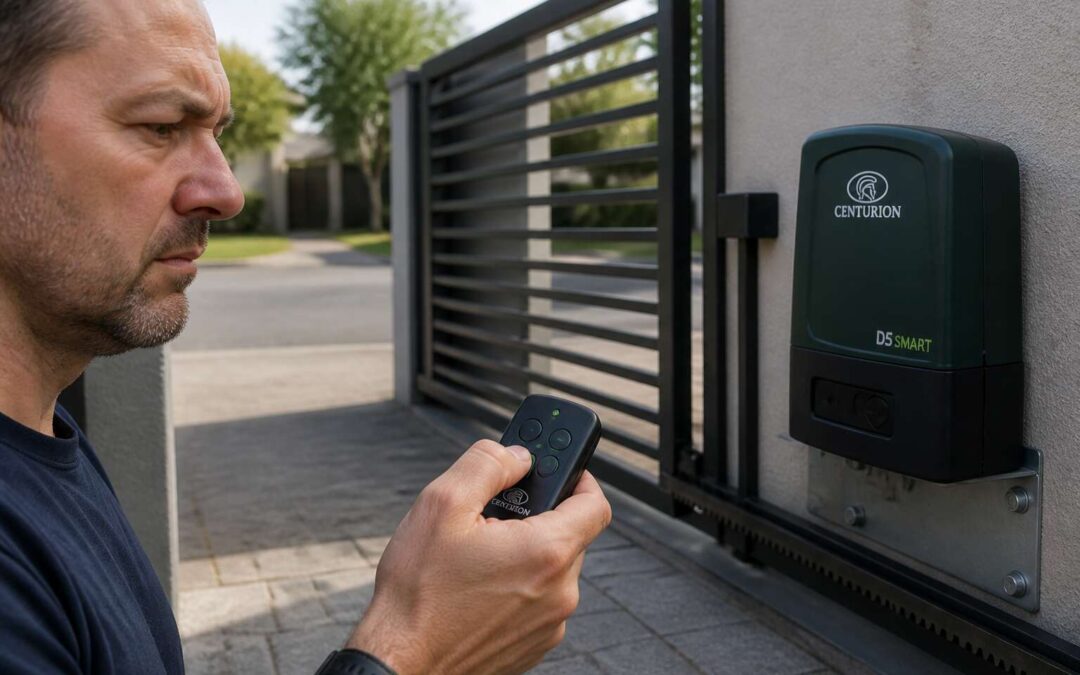
Initial Assessment and Safety Checks
A centurion gate motor not working invites a particular kind of frustration, the kind that makes you stare at your gate like it owes you money. That first glance, though patient, reveals more than you expect. Take a breath and observe from a distance. Is there a telltale click, a hum, or absolute silence? Each clue narrows the diagnosis.
Your initial assessment should never involve sticking hands into guts of machinery. Safety comes first, always. Before you touch anything, ensure the gate cannot move unexpectedly and securether area. Children and pets have a talent for appearing exactly when danger does, so set boundaries.
- Switch off main power supply
- Check for exposed cables or corrosion
- Test emergency manual release
- Inspect remote control batteries
These steps sound tedious, but familiarity breeds confidence. Remember, centurion gate motor not working remains a puzzle, not a duel. With a calm mind,you can separate a dead battery from a fried board, one safe check at a time.
Diagnosing Electrical and Wiring Faults
Most electrical faults on gate motors reveal no obvious warning signs. When your centurion gate motor not working, the problem often lives in the wiring, not the motor. I’ve traced failures to a single corroded terminal. South African humidity and thunderstorms accelerate this damage.
Begin with the mains power supply. Use a multimeter to verify voltage at the terminal block. A loose neutral wire produces confusing symptoms that mimic a dead motor. Sometimes the printed circuit board receives power, but the limit switches fail to communicate.
- Inspect wiring looms for rodent damage
- Check battery voltage under load, not at rest
- Look for burnt or discoloured terminals
Water ingress into the control box ranks as the most common fault on older installations. The gasket may look sealed, yet capillary action pulls moisture through the cable glands. If your centurion gate motor not working after heavy rain, this is your likely culprit.
Troubleshooting Remote Control and Automation Problems
When your centurion gate motor not working interrupts your exit, the culprit is often the remote control. A dead battery seems obvious, but signal interference from neighbourhood Wi‑Fi or solar inverters can scramble the frequency. I have seen gates ignore a perfectly new remote because the receiver lost its pairing memory.
Start with the basics. Check the LED on the remote, then cycle the power to the gate’s control board. If the gate responds to the wall switch, the problem lies in the wireless path.
- Inspect the remote’s contacts for corrosion
- Reprogram the remote using the learn button
- Test with a spare remote if you have one
Automation problems often originate in the limit switches. A misaligned switch will halt the motor halfway, making it appear as if the centurion gate motor not working when the mechanics are sound.
Mechanical Issues Affecting the Gate Mechanism
Mechanical failures often masquerade as electrical ones, and this is where the true frustration begins for a centurion gate motor not working. I have stood at a driveway entrance, pressing the remote with growing irritation, only to discover the motor humming in protest. The motor is trying. The physical world is holding it back.
The gears are the first casualty. They strip silently over years of heavy use, losing their bite. A bent track adds friction that the motor cannot overcome. These are stubborn, literal problems. You can hear the strain in the motor’s tone, a grinding whine that signals a fight against the inevitable.
Here is what I typically inspect when the system physically jams:
- Debris lodged tightly in the gear rack
- A misaligned safety beam causing a false obstruction
- Corroded battery terminals adding resistance
Sometimes the issue is pure, unyielding mechanics. A seized wheel or a snapped chain will stop everything. The centurion gate motor not working becomes the final symptom of a worn-out system. That tension between the motor’s effort and the mechanical resistance is a real point of weakness, and it is always worth a closer look.
Preventative Maintenance and Professional Repair Options
Few things test patience like a gate that refuses to move at the worst moment. The Centurion gate motor not working often traces back to neglected upkeep. A monthly visual check can catch issues before they escalate into expensive repairs.
Inspect the rack and pinion for wear. Clear debris from the tracks. Lubricate moving parts sparingly, as excess grease attracts dust. I always examine battery terminals for corrosion, since a flaky connection mimics a dead motor entirely.
- Test the auto-reverse function monthly
- Clean the photocell lenses for consistent signal
- Listen for grinding sounds during operation
But when the internal control board fails, DIY fixes usually fall short. That is when professional repair services become essential, particularly for complex error codes and motor windings. Certified technicians carry the diagnostic tools to restore your system efficiently, avoiding costly part replacements born from guesswork.