
Understanding Centurion Gate Motors
Overview of Centurion Gate Motor Models – Different types of Centurion gate motors and their features
Understanding the diverse world of Centurion gate motors is akin to navigating a technological jungle—exciting, complex, and occasionally bewildering. These motors are the backbone of modern South African security, ensuring your gate swings open with a whisper rather than a shout. When it comes to the different types of Centurion gate motors, the landscape is as varied as the South African landscape itself. From the sleek, compact models perfect for suburban drives to robust, industrial-grade units built to withstand the wild outdoors, each model boasts its own set of features designed to make life easier and safer.
Some popular models include the Centurion D5, renowned for its durability and smart features; the Centurion C8, which balances power with energy efficiency; and the Centurion Linear Gate Motors, ideal for larger, more demanding gates. Whether you’re dealing with a sliding or swing gate, there’s a Centurion motor tailored for your needs. And when it comes to troubleshooting or reprogramming, knowing how to perform a centurion gate motor factory reset can be a game-changer, particularly after upgrades or glitches. A factory reset essentially wipes the slate clean—restoring default settings—making it easier to troubleshoot issues or prepare for a fresh installation. It’s a crucial step in unlocking the full potential of your Centurion gate motor, ensuring it continues to operate smoothly amidst South Africa’s unpredictable power surges and load shedding chaos.
Importance of Factory Reset – Why resetting your gate motor might be necessary
In the high-stakes world of security automation, a malfunctioning or unresponsive Centurion gate motor can feel like a breach in your fortress. That’s where understanding the importance of a centurion gate motor factory reset becomes crucial. When your gate refuses to respond, or if recent upgrades have gone sideways, performing a factory reset can be the key to restoring order. This process wipes away custom settings, glitches, or misconfigurations, allowing your gate motor to revert to its original, stable state.
A factory reset isn’t just a troubleshooting step; it’s a safeguard against persistent faults that might otherwise compromise your security. Whether dealing with remote control issues or power surges, knowing how to execute a centurion gate motor factory reset empowers you to take control—restoring functionality quickly and confidently. Remember, a reset can sometimes feel like a leap into the unknown, but with proper guidance, it unlocks the full potential of your gate automation system, ensuring seamless operation amidst South Africa’s unpredictable power landscape.
When to Perform a Factory Reset on Your Centurion Gate Motor
Common Scenarios – Troubleshooting issues, replacing remote controls, or after firmware updates
When the symphony of your automated gates falters, it may be time for a centurion gate motor factory reset. This decisive act often emerges as the hero in troubleshooting issues, especially when the system becomes unresponsive or erratic. Imagine a scenario where remote controls refuse to communicate—resetting can restore harmony and re-establish seamless operation.
In certain instances, replacing remote controls or updating firmware necessitates a centurion gate motor factory reset. This process ensures that the new devices or updates integrate smoothly, leaving no room for miscommunication. For example, if your remote control suddenly ceases to function after a firmware upgrade, a reset often clears residual glitches, restoring flawless connectivity.
Occasionally, a factory reset is the key to resolving persistent faults—like when the gate refuses to respond or opens unpredictably. It acts as a reset button for the entire system, wiping away the clutter of errors accumulated over time. Whether it’s troubleshooting or preparing for new remote controls, understanding when to perform a centurion gate motor factory reset can be the difference between frustration and flawless operation.
Signs Indicating Reset Is Needed – Unresponsive remote, motor not responding, or error messages
In the shadowed corridors of automation, the silent watchmen of your estate—your Centurion gate motor—sometimes falter under unseen burdens. When your remote commands fall into deaf ears, or the motor refuses to obey your will, a whisper of trouble echoes through the system. Such signs—an unresponsive remote, erratic gate movements, or ominous error messages—are often the first harbingers that a centurion gate motor factory reset is long overdue.
The process acts as a spectral cleansing, banishing residual glitches that cling like dark spirits to the circuitry. If your system exhibits these signs, it’s time to consider a reset:
- The remote control ceases to communicate, no matter how many times you press the button.
- The gate responds unpredictably—opening or closing without cause.
- Error messages flicker like ghostly apparitions on your control panel.
Recognizing these signals can save you from a descent into chaos, restoring harmony to your automated domain.
Pre-Reset Preparations
Safety Precautions – Ensuring safety before performing the reset
Safety isn’t just a precaution—it’s a necessity, especially when performing a centurion gate motor factory reset. Before touching any wires or pressing buttons, turn off the power supply. This simple step prevents electrical shocks and accidental activations that could lead to injuries or damage.
Next, clear the area of any obstacles. A clear workspace ensures you won’t trip over tools or bump into the gate during the reset process. Remember, a sudden movement of the gate can cause serious harm.
For added safety, consider using a multimeter to verify power is fully disconnected. If you’re unsure, consulting the user manual or a professional technician can save you from costly mistakes. Performing a centurion gate motor factory reset without proper precautions can compromise safety, so take these steps seriously!
Gathering Necessary Tools – Remote controls, user manual, access to power supply
Embarking on a centurion gate motor factory reset without the right tools is like trying to cook a gourmet meal with a plastic spoon—possible, but not exactly efficient or safe. Before diving into the reset process, gather all necessary tools to ensure a smooth and safe experience. This includes your trusty remote controls, the user manual (the gate motor’s very own holy scripture), and access to a reliable power supply. Having these at hand means you won’t be scrambling around mid-procedure, risking mishaps or missing crucial steps.
To keep things streamlined, consider creating a checklist. Here’s a quick rundown:
- Remote controls
- User manual
- Access to power supply
Having everything within reach doesn’t just save time; it minimizes the chances of accidental electrical shocks or missteps during your centurion gate motor factory reset. Remember, preparation is the secret sauce—skip it, and you might find yourself in a tangled mess of wires and frustration. So, arm yourself with these essentials first—your future self will thank you for a hassle-free reset adventure!
Step-by-Step Guide to Factory Reset Your Centurion Gate Motor
Basic Reset Procedure – How to perform a factory reset on standard models
Performing a centurion gate motor factory reset can seem daunting, but with patience, it’s a straightforward process that restores your system to its original settings. This step-by-step guide is designed to help you navigate the reset procedure smoothly, especially if your gate motor is acting up or remote controls are unresponsive.
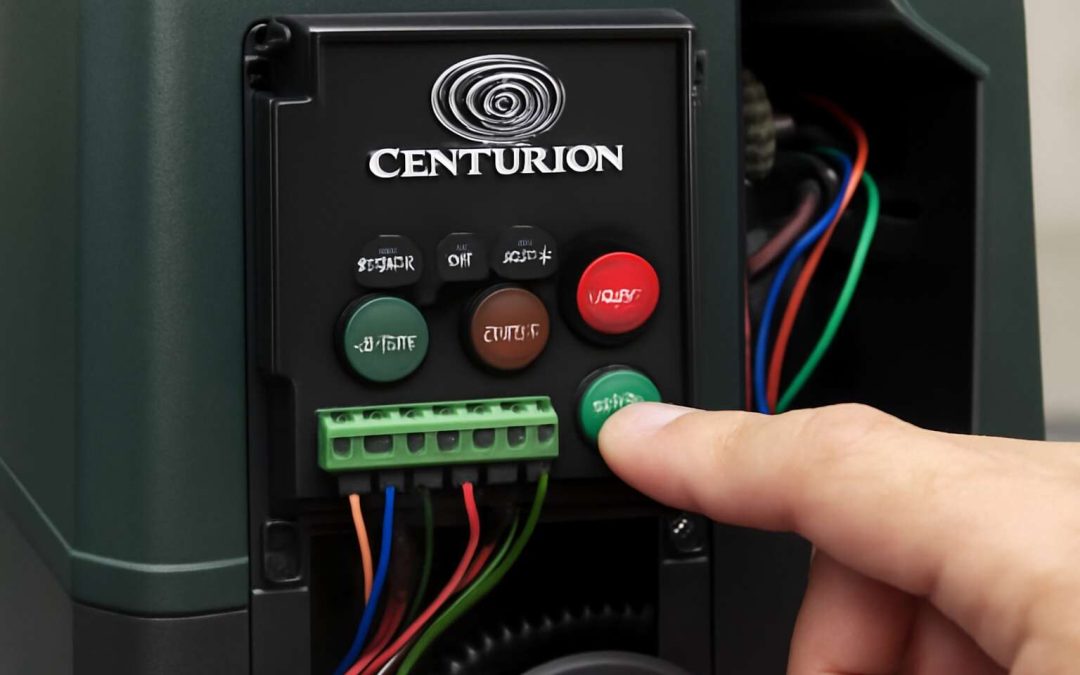
First, ensure safety by disconnecting the power supply. Once powered down, locate the reset button on your model—commonly found on the control board or near the motor unit. Press and hold this button for about 10 seconds, which signals the motor to initiate the reset process.
For those with standard models, follow this simple sequence:
- Switch off the power at the mains.
- Press and hold the reset button on the control board.
- While holding the button, reconnect the power supply.
- Release the button once the motor beeps or a light flashes, indicating the reset is complete.
This basic reset procedure can resolve issues like unresponsive remotes or error messages, ensuring your centurion gate motor operates seamlessly once more.
Resetting via Control Panel – Using the control panel or keypad for reset
In the labyrinth of modern automation, a single misstep can turn the smooth symphony of your Centurion gate motor into discordant silence. When remote controls falter or error messages flicker like fleeting shadows, a **Centurion gate motor factory reset** emerges as the beacon of renewal. This procedure, though seemingly arcane, is a dance of precision and patience—an alchemical act that restores harmony to your gate’s heart.
To reset your system via the control panel or keypad, begin with the quiet reassurance of safety. Make sure the power supply is severed—no current should flow through until you’re ready to awaken the system anew. Once your control panel is accessible, locate the reset button, often a subtle sentinel awaiting your command.
Using an ordered approach, you can invoke the reset:
- Press and hold the reset button firmly.
- Reconnect the power supply while maintaining pressure on the button.
- Continue holding until a signal—be it a beep or a flash—announces the reset’s triumphant completion.
Sometimes, the process requires an intuitive understanding of your model’s unique language—be it a sequence of presses or a specific pattern. Remember, each Centurion gate motor model may whisper its own secrets, but the essence remains: a reset restores the system to its primordial state, freeing it from glitches that threaten to disrupt its harmony.
Resetting Using a Remote Control – Steps involving remote control programming or reset
When your Centurion gate motor begins to act up—perhaps the remote isn’t responding or error messages flicker on the keypad—a **centurion gate motor factory reset** can be the quick fix that restores order. This procedure is often misunderstood as complex, but in reality, it’s a straightforward process that can save you time and money. Knowing how to perform a reset using your remote control ensures that your gate system functions smoothly, especially after firmware updates or remote replacements.
To initiate a factory reset via your remote control, start by ensuring the gate motor is powered and in a standby state. Depending on your model, the process might involve pressing a specific combination of buttons or holding down a button for a certain period. Usually, you will:
- Locate the reset button on your remote or keypad.
- Press and hold this button for around 10 seconds.
- While holding the button, turn the power back on to the motor.
- Release the button when you hear a beep or see a flash indicating the reset is complete.
Some models require a sequence of presses or a specific pattern, so consulting your user manual is always advisable. Once completed, you may need to reprogram the remote controls, but the reset clears any lingering glitches or corrupt data, giving your Centurion gate motor a fresh start.
Post-Reset Configuration and Reprogramming
Reprogramming Remote Controls – Pairing remotes after reset
In the labyrinthine realm of automated access, a centurion gate motor factory reset often emerges as a pivotal act of restoration—an almost alchemical process that clears the clutter of malfunction and prepares the system for renewed purpose. This reset is not merely a technical procedure; it’s a moment of profound recalibration, allowing the motor to shed its past configurations and embrace a fresh slate. When the signals falter or the remote control seems to have lost its voice, performing a centurion gate motor factory reset becomes the decisive step toward reclaiming control.
Following a reset, the reprogramming of remote controls is an essential dance of pairing—an intricate choreography that ensures each remote’s unique code resonates harmoniously with the motor’s memory. This process often involves holding down specific buttons or navigating through a series of menu prompts, depending on the model in question. For those unfamiliar, the sequence typically unfolds as a series of deliberate actions, such as:
- Pressing and holding the remote’s designated program button.
- Engaging the reset function via the control panel or keypad.
- Waiting for the motor to signal readiness—often through flashing lights or a beep.
Each step is a carefully choreographed act, culminating in a successful pairing that breathes new life into your gate automation system. Whether you’re restoring functionality after a firmware update or troubleshooting remote issues, understanding the nuances of the centurion gate motor factory reset and subsequent reprogramming process ensures a seamless transition back to operational excellence.
Adjusting Settings – Configuring limits, auto-close, and other features
Once the labyrinth of wires and digital whispers has been unraveled through a centurion gate motor factory reset, the system stands reborn—an untainted canvas awaiting personalized configuration. This reset, akin to awakening from a deep slumber, clears the clutter of previous settings and prepares the motor for a fresh chapter. Post-reset, the task shifts to adjusting settings that tailor the gate’s behavior to your unique needs, transforming a generic system into a bespoke guardian of your property.
Configuring limits, such as the fully open and fully closed positions, is a delicate dance that ensures smooth operation and longevity. Features like the auto-close timer can be fine-tuned to suit your lifestyle, whether you prefer the gate to close automatically after a few seconds or remain open for longer. Navigating these adjustments often involves accessing the control panel or keypad, where intuitive prompts guide you through the process. For those who wish to refine their system further, a simple centurion gate motor factory reset enables seamless reprogramming of remote controls and feature settings, restoring harmony to your gate automation system.
In essence, the post-reset configuration is the final flourish—an artful calibration that breathes new life into your gate motor. Whether fine-tuning limits, setting auto-close intervals, or customizing other features, understanding how to adjust these parameters allows your system to operate with impeccable precision. The magic lies in the details—each setting a note in the symphony of secure, effortless access, all made possible after performing a centurion gate motor factory reset.
Checking Functionality – Ensuring the reset was successful and the motor functions properly
Having performed a centurion gate motor factory reset, the next crucial step is to verify that the system is functioning flawlessly. This process ensures that all previous configurations have been wiped clean and that the motor responds accurately to commands. A successful reset acts as a reset button for your automation system, breathing new life into its core functionalities. It’s akin to awakening a dormant guardian—ready to be reprogrammed and fine-tuned for optimal performance.
To confirm the reset’s success, inspect the motor’s response to remote controls and the control panel. If the motor reacts promptly and the previous issues—be it unresponsiveness or error messages—are resolved, you’ve achieved a proper reset. Additionally, checking the reprogramming of remote controls is vital. This step guarantees that the remotes are correctly paired, allowing seamless access without glitches. Sometimes, performing a quick test run of the gate’s movement reveals subtle irregularities that need attention, ensuring the system operates with impeccable precision.
Remember that many systems have built-in reprogramming checking functionality, which can be accessed through the control panel. This feature allows you to run diagnostic checks, ensuring that the reset has cleared all faults and that the motor’s settings are restored to factory defaults. If the system fails to respond or exhibits erratic behavior, a repeat of the centurion gate motor factory reset might be necessary—sometimes, a second attempt is the key to restoring harmony to your automated gate.
Troubleshooting Common Issues During Factory Reset
Reset Not Working – Possible causes and solutions
Sometimes, attempting a centurion gate motor factory reset feels like trying to tame a wild beast—futile and fraught with frustration. If your reset isn’t working, the culprits could be as sneaky as a mischievous imp. One common offender is insufficient power supply; a weak or interrupted electricity flow can sabotage the reset process entirely. Another frequent villain is outdated firmware—think of it as trying to run the latest app on a vintage phone.
To troubleshoot, verify that your power source is stable and that you’re following the correct reset procedure. Sometimes, the reset might require holding down specific buttons or accessing the control panel with precision. Remember, even the most stubborn centurion gate motor models can be coaxed into cooperation with patience and the right technique. If all else fails, double-check the user manual or seek professional assistance to avoid turning your gate into a non-responsive fortress!
Motor Still Unresponsive – Further troubleshooting tips
When a centurion gate motor remains stubbornly unresponsive despite multiple reset attempts, it’s enough to make one consider a séance rather than a simple fix. The unyielding nature of some models can be perplexing, especially when basic troubleshooting steps seem futile. Often, the culprit lies in overlooked details—like a dodgy power supply or an outdated firmware version—that sabotage the centurion gate motor factory reset.
Further troubleshooting tips can help you crack the code. First, double-check that your power source is stable and properly connected. If the motor still refuses to cooperate, consider whether your reset procedure was executed precisely—sometimes a mere second too early or late can thwart progress. You may also want to inspect the control panel for any error messages or blinking lights that could hint at underlying issues.
- Ensure all remote controls are removed or unpaired before attempting a reset to prevent conflicting signals.
- Consult the user manual for specific reset instructions tailored to your model—these details can vary widely among Centurion gate motors.
- Try a full power cycle—switching the power off for a few minutes before turning it back on—sometimes, this “power nap” can jolt the system into compliance.
If your efforts still yield silence from the motor, it might be time to consider that an internal hardware glitch or firmware inconsistency is lurking beneath the surface. Reprogramming remotes or re-establishing communication with the control panel could be necessary steps in the process. Remember, patience is a virtue—especially when coaxing a stubborn centurion gate motor back to life!
Error Messages and Codes – Interpreting and resolving common error signals
When attempting a centurion gate motor factory reset, error messages and codes can turn the process into a digital game of Whac-A-Mole—frustrating yet oddly addictive. These cryptic signals are not just random blips; they’re the gate motor’s way of communicating that something’s amiss. Interpreting these error signals requires a keen eye and a bit of detective work. For instance, a flashing red light might indicate a sensor glitch, while a specific error code could point to firmware corruption or internal hardware hiccups. Recognizing these cues helps you avoid throwing the reset towel in prematurely.
In many cases, resolving these issues hinges on understanding what the error message signifies. Sometimes, a simple power cycle isn’t enough—other times, you’ll need to reprogram remotes or consult the user manual to decode the message. Remember, each Centurion gate motor model might have its own unique way of signaling trouble, making a thorough reading of the manual a wise investment. If error codes persist after multiple attempts, it’s a sign that deeper internal issues may be lurking, demanding more than just a reset—perhaps a professional diagnosis or firmware update.
Expert Tips for Maintaining Your Centurion Gate Motor
Regular Maintenance Tasks – Cleaning, lubrication, and system checks
Maintaining the majestic efficiency of your Centurion gate motor is akin to tending a living fortress—each task preserves its strength and longevity. Regular cleaning and lubrication are the silent guardians of smooth operation, preventing dust and debris from corrupting its mystical innards. A systematic system check ensures that every cog and circuit remains in harmonious balance, ready for the day’s demands.
For those who encounter the need for a centurion gate motor factory reset, understanding the subtle signs is essential. An unresponsive remote or perplexing error messages often herald the necessity to invoke this reset. When performing this ritual, ensure safety is your guiding star—disconnect the power supply and consult your manual for the specific reset incantation. Remember, after a reset, reprogramming your remotes and recalibrating settings like limits and auto-close features are vital steps in restoring the gate’s enchanted functionality.
In the realm of gate guardianship, a meticulous approach to maintenance—embracing cleaning, lubrication, and regular system checks—safeguards your Centurion motor against the chaos of wear and tear. These small acts of care forge a resilient barrier, ensuring your gate remains a steadfast sentinel for years to come. With a keen eye and gentle touch, you can keep your gate’s magic alive, preventing the need for frequent centurion gate motor factory reset procedures.
Updating Firmware – Keeping your motor’s software current
Maintaining the optimal performance of your Centurion gate motor hinges on more than just routine checks; keeping its firmware updated is crucial for seamless operation. Firmware updates often contain essential security patches, bug fixes, and new features that enhance functionality. Ensuring your motor’s software is current can prevent the need for a tedious centurion gate motor factory reset down the line.
Expert tips emphasize the importance of periodic checks for available updates. Sometimes, the manufacturer releases firmware via their official website or through authorized technicians. Some models even alert you automatically when an update is available. For those who prefer a hands-on approach, it’s wise to have the user manual, access to your power supply, and your remote controls ready before initiating any update. Remember, during a firmware upgrade, interruptions can cause issues that might necessitate a centurion gate motor factory reset.
Staying vigilant about firmware updates not only prolongs the life of your gate motor but also preserves its enchanted reliability—lessening the chances of encountering mysterious error messages or unresponsive remotes that often lead to a centurion gate motor factory reset.
When to Contact Professionals – Signs you need expert assistance
When your Centurion gate motor begins to behave erratically, it’s easy to feel like you’ve entered a mythical realm where technology and magic collide. Sometimes, a simple centurion gate motor factory reset is all that’s needed to banish the gremlins causing unresponsiveness or error messages. However, knowing when to summon true expertise is crucial. Persistent issues—such as the motor refusing to respond after multiple reset attempts or strange error codes flashing ominously—are signs that professional intervention may be required.
Expert tips for maintaining your gate motor highlight the importance of recognizing these signs early. If your attempts at a basic reset fail to restore smooth operation, it’s wise to contact a qualified technician. They possess the arcane knowledge and specialized tools to diagnose deeper faults that a mere factory reset cannot fix. Remember, attempting to force a reset without proper guidance can sometimes lead to more complex problems—akin to awakening a dormant dragon!
Before reaching out, ensure you have gathered the necessary tools: remote controls, your user manual, and access to a stable power supply. Sometimes, the solution involves reprogramming remote controls or adjusting settings—tasks best handled with experience. If your gate motor stubbornly refuses to respond, it might be a sign of underlying issues that only a professional can unearth, ensuring your system remains enchanted with seamless security and convenience.